The Good Forms by Keith Collins
The Good Forms is a music and software project. I release experimental instrumental music and Max for Live devices under this name.
➡️ Follow Good Forms on Soundcloud, TikTok and Twitter.
Introducing my first Max for Live Device
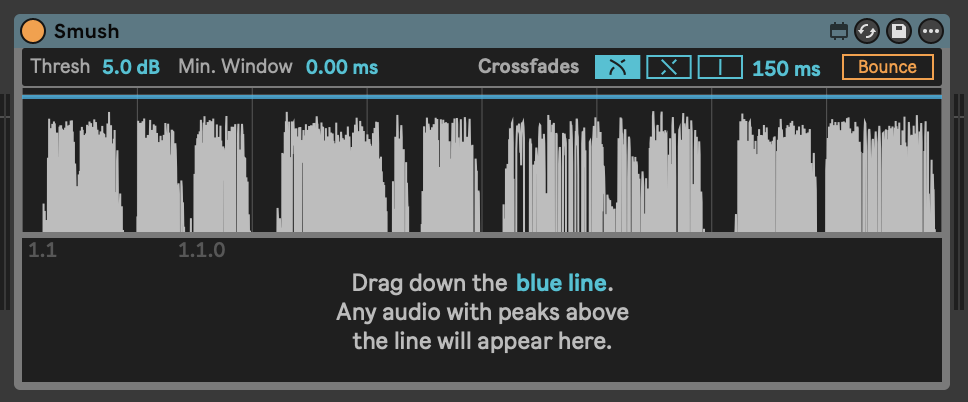
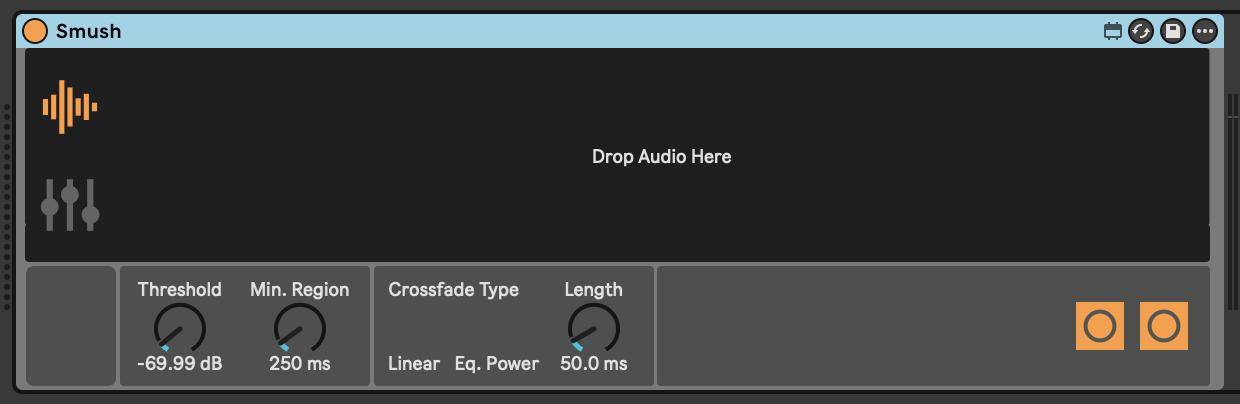
My first M4L device (which I am currently calling Smush) allows you to load a sample and remove audio below a dB threshold that you set. It "smushes" the remaining audio segments together with smooth crossfades, which you also control.
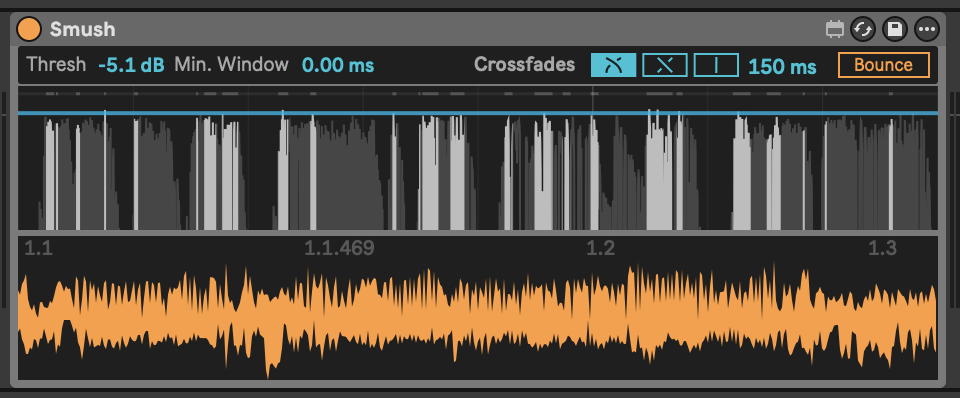
This creates a new, condensed version of the original sample that can be bounced to a new audio track.
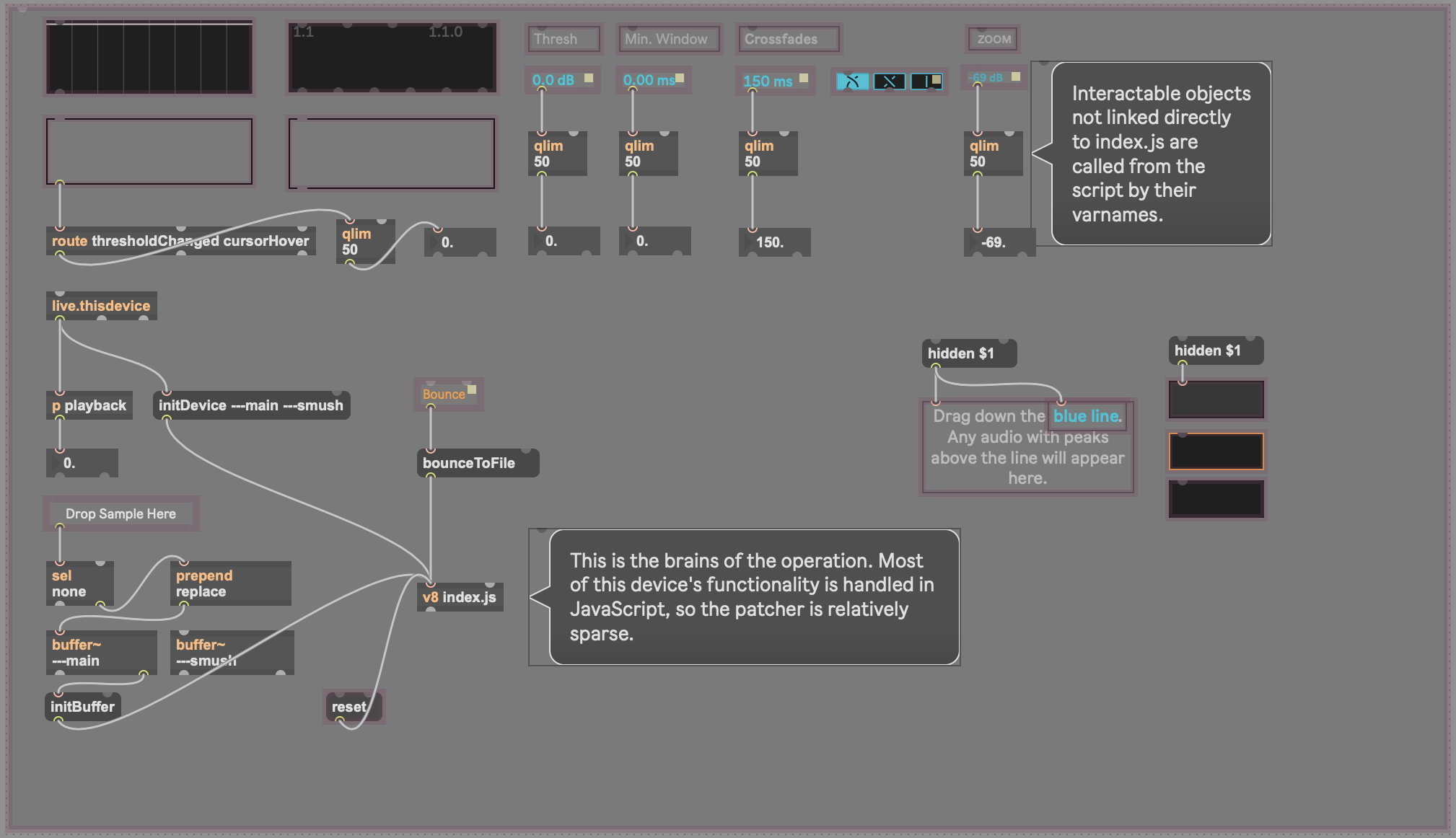
The device is built around a V8 JavaScript engine, providing a dynamic and responsive user interface for controlling the editing process.
Here is a brief demo video:
Core Features
- Silence Detection: Analyzes an audio sample to identify regions of silence based on a user-definable dB threshold.
- Audio Combining: Creates a new audio buffer containing only the parts of the original sample above the set threshold.
- Automatic Crossfading: Applies smooth equal-power or linear crossfades between the joined audio segments to prevent clicks and pops. The crossfading can also be turned off, so that the kept regions are combined without overlaps.
- Visuals:
- The top waveform display shows the original audio and highlights the detected silent regions.
- The combined audio is displayed in the lower waveform..
- The combined audio can be currently be played back via MIDI notes.
- Configurable Parameters:
- Threshold: Sets the dB level below which audio is considered silent. The device intelligently suggests an initial threshold based on the audio's dynamics.
- Min. Window: Defines the shortest duration of silence that will be kept.
- Crossfade Curve: Allows switching between equal power, linear or no crossfade curves.
- Crossfade Duration: Sets the total length of the crossfade.
Development Log
I am keeping a log of my progress and I build this device, to keep track of the changes as I go and, hopefully, to help fellow developers. Please get in touch if you have questions or suggestions!
Here's a snapshot of the project statistics as of Feb. 9, 2026:
Total commits: 77
Most changed files:
index.js- 56 commits, 353 lines (final)-
v8ui.js→mainGraphics.js+smushGraphics.js- 21 commits total
Lines of code (final count):
index.js: 353 linesstate.js: 216 linessmush.js: 292 linesfindAudioRegions.js: 109 linesaudioBouncer.js: 380 linesbufferManager.js: 120 linesmaxObjectManager.js: 265 linesmainGraphics.js: 243 linessmushGraphics.js: ~90 linesgetBufferMinMax.js: ~60 lines
Total: ~2,128 lines of JavaScript across 10 modules
February 8: Problems with audio bouncing
Max pains
I am having a lot of trouble getting the path to the temporary project folder Ableton Live creates for unsaved Live Sets.
At minimum, I would like to get the path to the user's Temporary Folder, which is set in Ableton Live > Settings > File & Folder > Temporary Folder. By default on Mac it is:
~/Music/Ableton/Live Recordings/
What I really want is the full path to the current Live Set in the case that the Set has not yet been saved:
~/Music/Ableton/Live Recordings/2026-02-06 094518 Temp Project/
If you create a new Live Set in Ableton Live, add audio or MIDI to a track, then right-click on your clip and select "Bounce Track in Place" or "Bounce to New Track," Ableton saves the bounced audio to:
~/Music/Ableton/Live Recordings/2026-02-06 094518 Temp Project/Samples/Processed/Bounce
I simply want to follow that pattern in the device I am working on. Since my device allows the user to bounce audio from the device's buffer to a new audio track. It works fine if the Live Set has been saved, because I can get the path to the project folder and save the audio there. But if the Live Set has not yet been saved, I want to save the bounced audio the same way Ableton does by default.
I do not want to save to the Max temporary folder, which for me is:
~/Library/Application Support/Cycling '74/Max 9/Settings/temp64-live
Clever solution
I finally found a solution. It's very round-about, and if someone has a cleaner way to do this, please tell me. But here is what is currently working for me (using Live 12 and Max 9, V8 JavaScript):
Basically, I used Clip.crop() to trigger Live's native file management, which reveals the temp folder path. When you call clip.crop() on an audio clip, Live creates a new consolidated audio file in its managed folder structure. By reading the clip's file_path property before and after the crop operation, you can extract Live's temporary project folder path.
-
First, my device saves its output audio to Max's temp folder.
-
I use the LiveAPI to create a track and load my audio file into a clip.
-
I use a Task with a delay to ensure the clip is fully created.
const discoveryTask = new Task(function() {
      const clip = new LiveAPI(`live_set tracks ${trackIndex} arrangement_clips 0`);

      if (clip.id == 0) {
          error("Could not access clip\n");
          return;
      }

      // Continue to next step...
  }, this);

  discoveryTask.schedule(100); // 100ms delay
- I trigger the crop operation and wait for Live to create the new file, then get the path to that file. Now the file lives in ~/Music/Ableton/Live Recordings/2026-02-06 185736 Temp Project/Samples/Processed/Crop which works for my purposes, and I now have the path to the temporary project folder, which I can use if the user bounces a new audio clip out of the device.
// Call crop - this triggers Live's file management

  clip.call("crop");
  // Wait for crop to complete

  const checkTask = new Task(function() {
    const newPath = clip.get("file_path");

    post(`New path: ${newPath[0]}\n`);
    // Continue to extraction...
  }, this);

  checkTask.schedule(100); // 100ms delay for crop operation
Audio bouncer extracted from index.js
Now that this works, I have extracted all bounce/export functionality into its own module.
Created audioBouncer.js (380 lines) - A complete
audio export system:
- Multi-format support (WAV, AIFF, FLAC)
- Bit depth options (16/24/32-bit)
- Sample rate conversion
- Progress tracking
- Error handling
- File path management
index.js shrunk dramatically: 181 lines removed,
replaced with:
import { AudioBouncer } from './audioBouncer.js';
  const bouncer = new AudioBouncer();
  bouncer.bounce(buffer, filepath, options);
February 3: Interactive threshold control
Mouse interactions
New capabilities:
- Click-and-drag threshold adjustment
- Visual feedback during interaction
- Smooth value updates to UI controls
mainGraphics.js and smushGraphics.js got synced interaction
patterns.
state.js can track interaction state: isHovering, isDragging, dragStartY, etc.
Polish details:
- Worked on hover state rendering in
mainGraphics.js - TODO: Cursor changes to indicate draggability
- Smooth transitions between states
Line dragging
Fine-tuned the drag interaction to make it feel natural.
January 29: Crossfade visualization
Merge points
Started visualizing where audio regions get joined together.
New feature in smushGraphics.js: Draw markers at
crossfade points so you can see exactly where the audio is being spliced.
Visual design:
- Equal-power crossfades show as smooth S-curves
- Linear crossfades show as straight diagonal lines
- Markers at start/end of each crossfade region
Now you can see how the audio is being blended. But... it's not as helpful as I expected. Especially for longer audio, it really just adds noise to the output waveform. Will likely drop it.
The math behind constant/equal-power crossfading:
// Linear: 3dB dip in the middle
  outA = inA * (1 - position);
  outB = inB * position;

  // Equal-power: constant perceived loudness
  outA = inA * Math.cos(position * Math.PI / 2);
  outB = inB * Math.sin(position * Math.PI / 2);
Why equal-power? Human perception of loudness isn't linear. Equal-power curves compensate for this, making crossfades sound smooth and natural.
Threshold line interaction
Made the threshold line interactive. Now you can change the threshold via the button at the top, or you can click and drag the threshold like up and down to adjust the threshold.
Implementation details (mainGraphics.js):
-
Mouse events in v8ui:
onclick,ondrag,onidleout - Convert pixel Y position to dB value
- Update state
- Redraw graphics
- Trigger reprocessing
smushGraphics.js also got interaction improvements.
January 27: Polishing 💎
UI Updates
- Added crossfade type selector with custom icons for equal power, linear fade and no fade.
- Updated color scheme based on Illustrator mockups
state.js grew to accommodate new UI parameters.
State simplification
Refactored state.js down from 222 lines to 97. Removed 125 lines
of cruft that accumulated during development.
Bounce feature
Added audio export functionality. You can now render the smushed audio to a new audio file.
index.js is handling:
- File path selection
- Buffer-to-disk writing
- Progress feedback
- Error handling
Trimming fat
Huge simplification of state.js, and index.js got a
165-line overhaul improving message handling and state synchronization.
Reset issues
It's important that the user can drop a new audio clip into the device at any time, even if audio was previously loaded. So it's also important that when that happens, the device resets.
The problem: State wasn't fully clearing when it got new audio. Some UI elements remembered old values, waveforms showed ghost data, etc.
Buffer stuff
Proper sequencing of buffer operations:
- Stop transport (prevents clicks)
- Clear old buffer
- Initialize new buffer
- Update UI
- Notify graphics layers
- Resume transport if needed
Floor UI
Added an experimental "floor" parameter that allows the user to adjust the visible floor of the input audio, essentially zooming in vertically. It works, but it doesn't feel super helpful.
January 24: Good progress
Design Iterations:
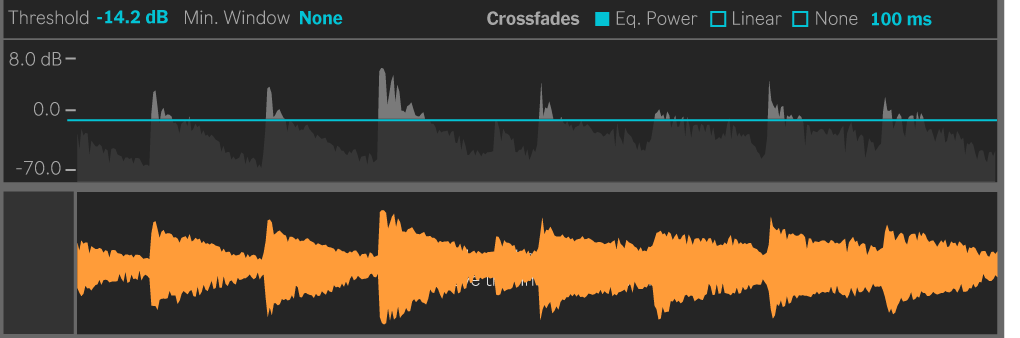
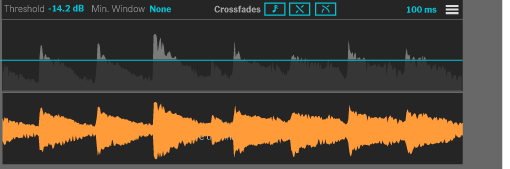
Working on device reset
Complete rewrite of the reset functionality using the new state system.
Deleted v8ui.js, fully switched to mainGraphics.js and
smushGraphics.js, each of which handles painting for their
respective v8ui objects.
Split graphics rendering into two specialized files:
mainGraphics.jshandles the main buffer visualization-
smushGraphics.jshandles the smushed buffer + crossfade overlays
Initialization refinement
Fixed a subtle race condition: the bufferInit flag was being set
too early in the initialization sequence, causing occasional glitches when loading
audio quickly.
The fix: Move the flag to the very end of initBuffer(), after ALL initialization is complete.
Looking good
Everything is working pretty well. Reset button: ✅. Buffer loading: ✅. Silence detection: ✅. Crossfades: ✅. UI updates: ✅.
Design work
More UI sketching:
January 23: (No more DataManager)
DataManager → State.js
Big decision: DataManager isn't working out. The Dictionary-based persistence is causing race conditions and state desync issues.
Max's Dictionary objects are great for patchers, but in JS they add unnecessary complexity. Switched to a plain object and Global for cross-script communication.
New stuff
Created three new files:
-
state.js(201 lines) - Global-based state management -
mainGraphics.js(138 lines) - Main waveform rendering logic -
smushGraphics.js(61 lines) - Smushed waveform rendering logic
New architecture:
// state.js creates a device-specific Global
  const stateGlobal = new Global(`smush_state_${deviceId}`);

  // Any script can now access/modify state
  import { state } from './state.js';
  state.thresholdDb = -40;
Why Global? Unlike Dictionaries, Globals are just JavaScript objects living in Max's JS engine. Fast, simple, and they work exactly how you'd expect objects to work.
January 22: Snapshot, Playhead & RMS→Peak
Snapshot Feature
Added the ability to capture the current device state for recall.
Refactor: Simplified findAudioRegions.js by removing
redundant code.
Playhead Visualization
Rebuilt the playback playhead from scratch. Now you can see exactly where you are in the waveform during playback.
Technical approach:
- Listen to Max's transport position
- Convert to buffer samples
- Draw a vertical line in v8ui
- Update at ~30fps for smooth animation
V8UI for Creation Waveform
Added a second v8ui overlay specifically for the smushed buffer
visualization. Now both ---main and ---smush have their
own UI layers.
dB-Linear Slider
Threshold control got a major upgrade. Worked on some UI mockups.
Plot~ Integration Attempt
Trying to figure out if plot~ would be better than waveform~ for visualization.
horizontal line working, now switching from RMS to peak
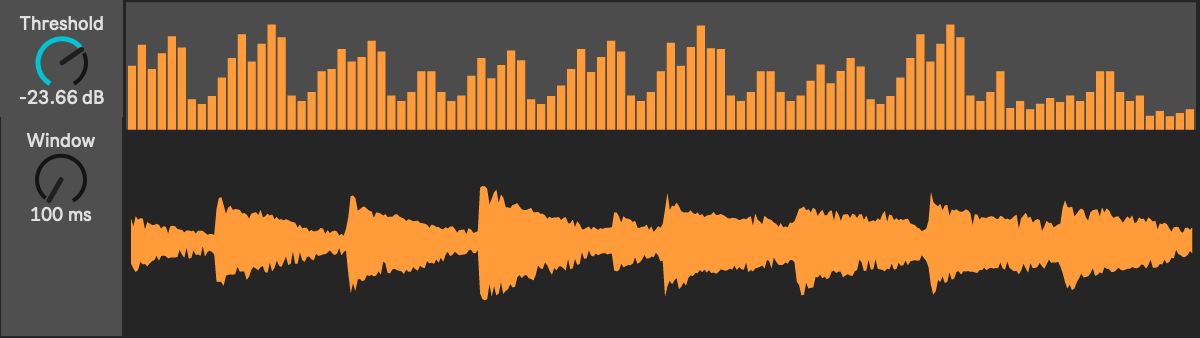
Added the threshold visualization: a draggable horizontal line showing the current silence threshold in dB.
The problem: The device was using RMS (root-mean-square) for
silence detection, but Max's waveform~ and plot~ objects display peak values. This meant the threshold line didn't align
with the visual waveform. Confusing!
implemented peak, lookin for leak
Switched to peak-based detection. Now the silence threshold visually aligns with what you see in the waveform.
But... memory leak detected. After processing several buffers, Max's memory usage kept climbing. 🐛
The culprit: Creating new Buffer objects without
freeing old ones. Each buffer is a peer object that Max has to manage. If you
don't call freepeer(), they accumulate in memory.
January 21: UI Polish & Peak Detection
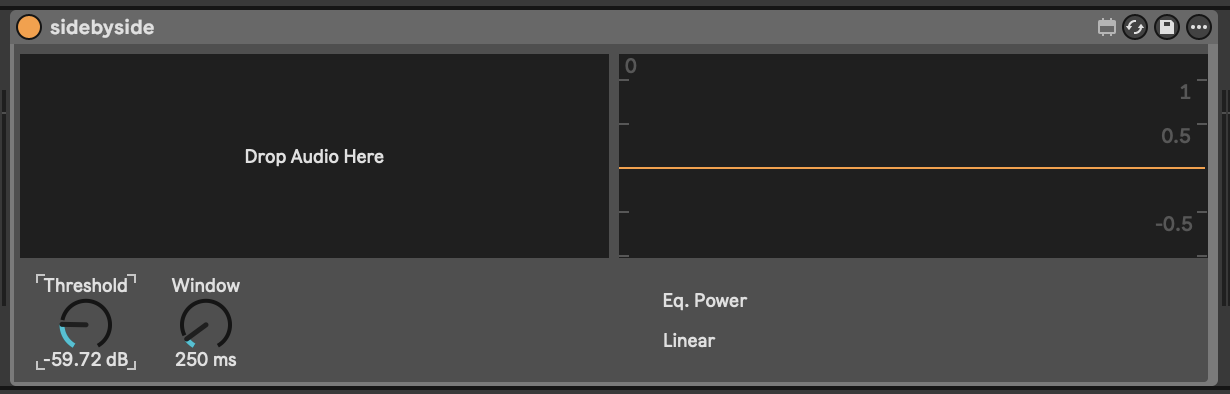
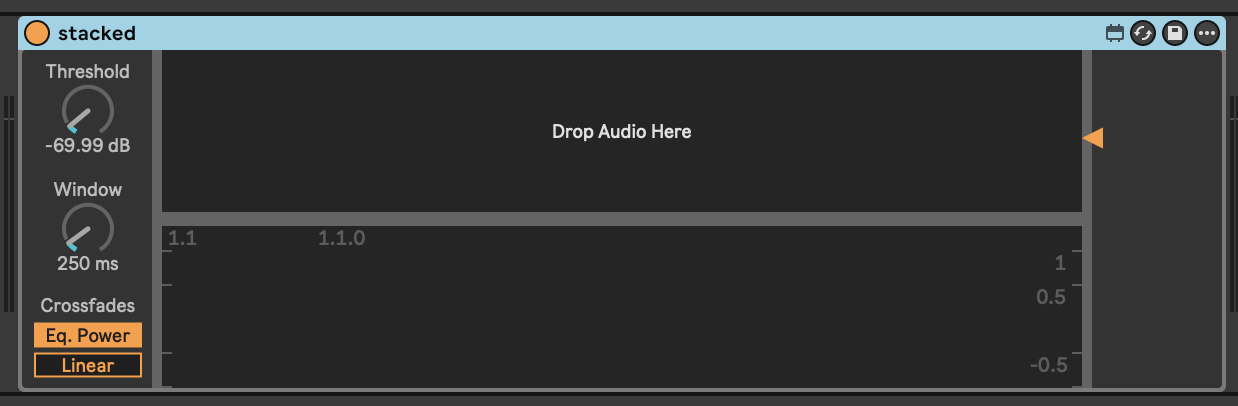
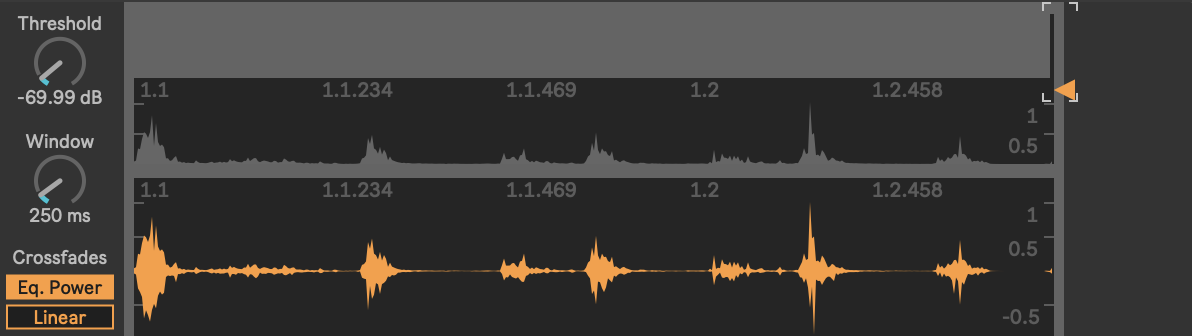
Design Iterations:
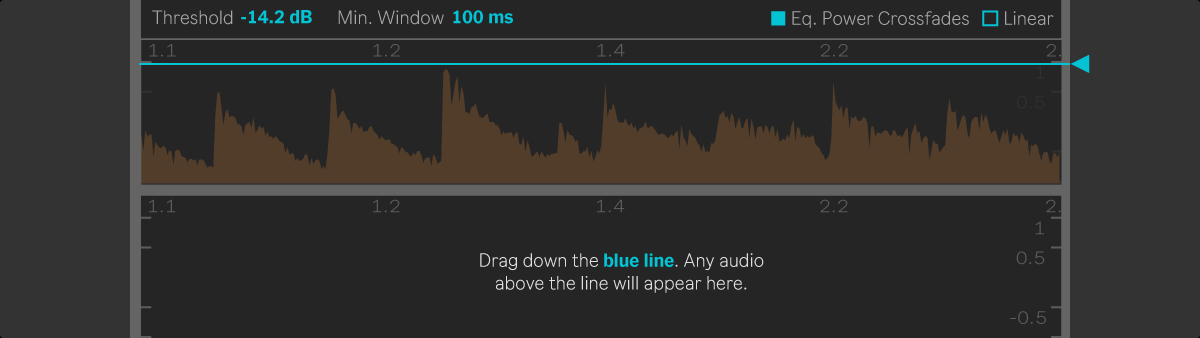
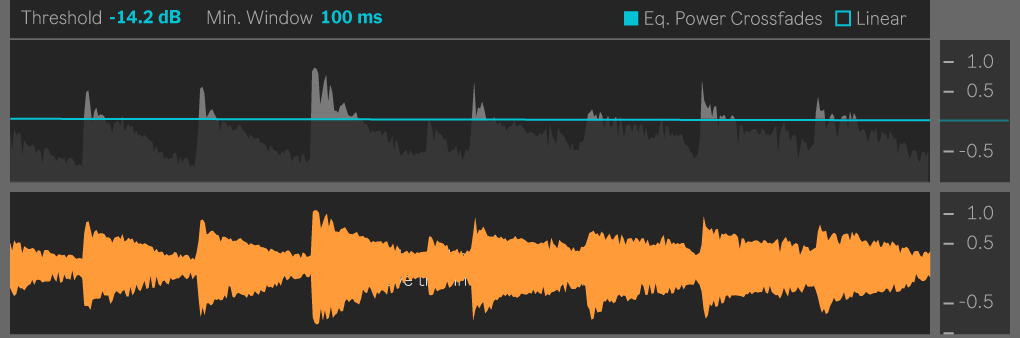
Design Exploration
Started thinking about how the threshold line should be drawn.
Dropping Async
Something broke in the async experiment. Reverted changes to findAudioRegions.js and getBufferMinMax.js.
Lesson learned: Async in Max is tricky. The scheduler model is different from Node.js. Reverted to sync processing for stability.
MIDI Integration
Now you can trigger the smushed audio with MIDI notes.
State Management Overhaul
Three late-night commits fixing persistent state issues. The waveforms weren't resetting properly when loading new files.
The bug: v8ui was holding onto stale buffer references.
The fix: Added explicit refresh messages to v8ui.js whenever buffers change. Also improved the lifecycle: init → load → paint →
clear → repeat.
Min/Max Optimization
Improved getBufferMinMax.js with smarter caching. If you're drawing
the same region twice, don't recalculate.
January 17
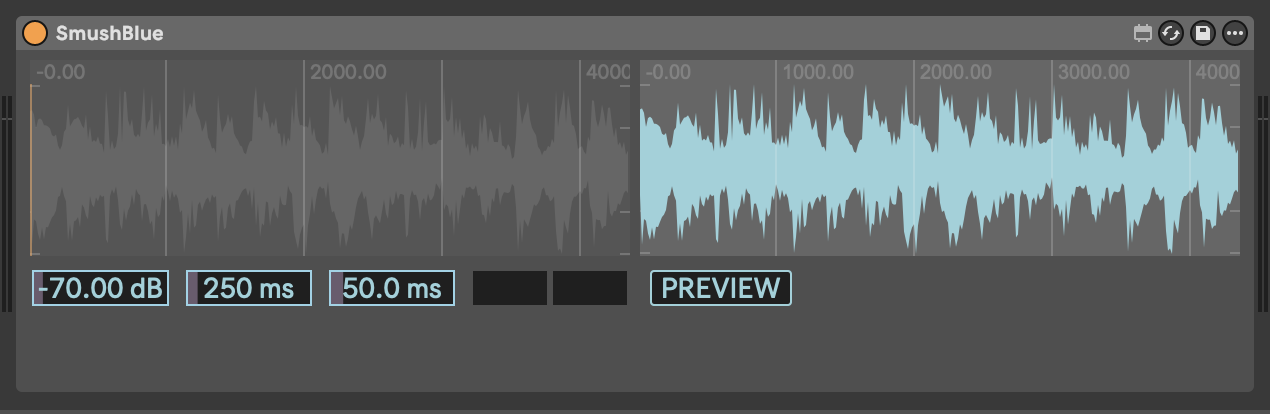
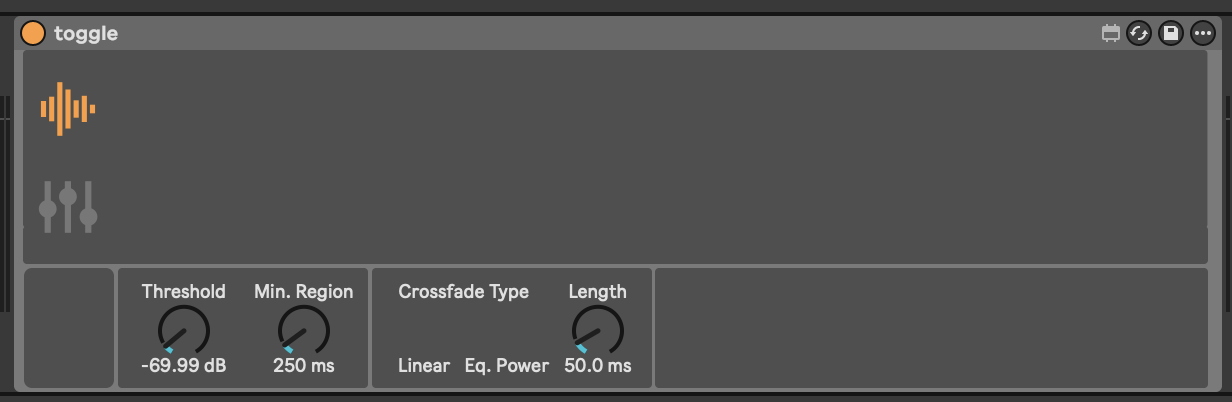
Design Iterations
Performance Refactor
Tried an async version of the smush script. TypedArrays and frame-based processing to handle large files without blocking the Max scheduler.
Key insight: Max's poke~ is synchronous and
can choke on big buffers. Solution: process in chunks, use Task for
yielding back to the scheduler. But it makes the UI slow and clunky, so may ditch.
BufferManager Class
Created bufferManager.js (174 lines) to handle buffer lifecycle management:
- Automatic
freepeer()cleanup to prevent memory leaks - Centralized buffer creation and reference caching
- Two-buffer coordination (main ↔ smush)
One class owns all buffer operations. index.js just says "give
me the main buffer" and doesn't worry about the messy details.
Performance Tools
Built getBufferMinMax.js, a utility to quickly find min/max
values in a buffer region for visualization scaling. Uses TypedArray peek() for fast traversal.
Optimization: Instead of checking every single sample for waveform display, we sample strategically based on pixel width. If the waveform is 500 pixels wide, we don't need to check all 2 million samples.
DataManager Introduction
New dataManager.js to centralize state. All the device parameters—threshold,
crossfade times, min region size—now live in one managed object.
Design pattern: Dictionary-based data persistence.
MaxObjectManager
The modular architecture saga continues with maxObjectManager.js (250 lines)—a caching layer for Max objects.
Problem solved: Constantly calling this.patcher.getnamed("some_object") is expensive. This manager gets each object reference ONCE and caches it.
// Old way (called every paint frame):
  const waveform = this.patcher.getnamed("waveform_display");

  // New way (cached):
  const waveform = maxObjects.get("waveform_display");
UI redesign too, with somewhat better visual hierarchy.
January 15
First real commit with original core files:
-
index.js(242 lines) - Main entry point and orchestrator -
smush.js(209 lines) - Core audio processing logic -
findAudioRegions.js(71 lines) - Silence detection algorithm -
v8ui.js(119 lines) - Custom UI rendering with Max's v8ui -
Smush.amxd- The Max for Live device file itself README.md- Initial documentation
Technical decisions made:
- V8 JavaScript engine for modern ES6+ support
- Module system with CommonJS imports/exports for clean separation of concerns
- Custom
v8uioverlays on native Max waveform objects
Two-Buffer Architecture
Early realization: we need two buffers, not one:
---main: The original, untouched audio (sacred!)---smush: Where we do our destructive edits
This way, you can always reset back to the original.
Stabilization
- Improved initialization reliability
- Core audio processing refined
- Audio playback working
- The device is somewhat working. You can drop in audio, smush it, and hear the result.
By evening: finally fixed buffer clear - The reset button actually
works now. This involved understanding Max's buffer lifecycle and when to
call clear() vs reassigning samples.
UI & Control Layer
- Added transport controls
- Created proper button layouts for load, reset, smush, and bounce
January 5-7
Getting started with the Max patcher, exploring possibilities: